The assistant that answers with your company's documents - and never lets them leave
Simmetric Chat answers questions from customers and colleagues using only your organization's documents, always citing the source. Configured to work without the internet, it sends nothing outside: your data stays on your servers.
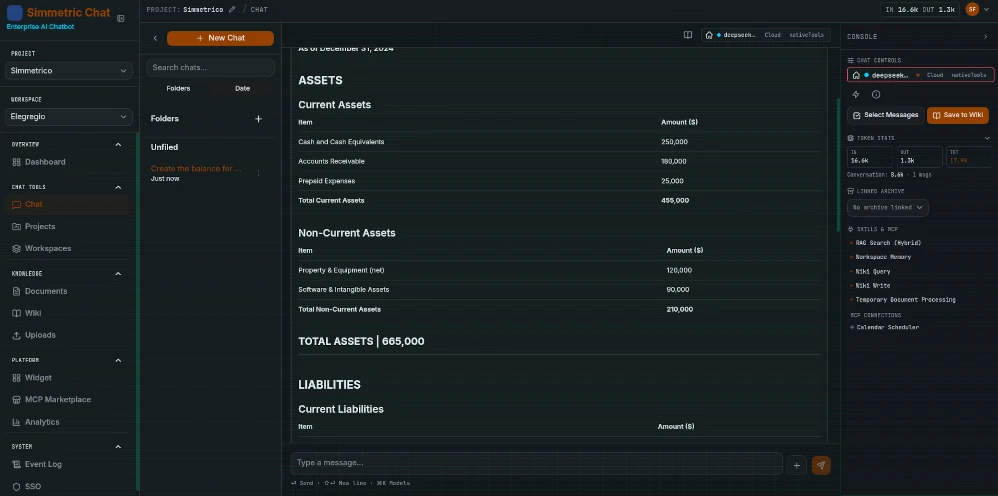
Why organizations choose it
Three reasons, in plain language.
Your data never leaves your company
Simmetric Chat installs on your organization's servers and, configured to work without the internet, never communicates with the outside. Sensitive data - tax codes, card numbers, bank details, email addresses - is masked automatically in conversations.
Answers grounded on your documents
Every answer draws only on the documents you have loaded and always cites its source. If the information is not in the archive, the system says so instead of inventing it.
Works with the AI you prefer
The system connects to all the major AI models on the market, including the ones your IT office has already approved. Switching provider tomorrow? Your company knowledge stays yours: it is never tied to one platform.
What Simmetric Chat does for your organization - explained without tech jargon.
Answers grounded in facts
Hybrid RAG (RRF)
Vector search (LanceDB default, or Qdrant/pgvector/Chroma) fused with PostgreSQL FTS via Reciprocal Rank Fusion, k=60. Deterministic tiebreaker, per-chunk citations, semantic+keyword tags.
ReAct Agent Orchestrator
Single-call ReAct loop with plan mode, watchdog (wallclock, token, context, loop detection), unknown-tool circuit breaker, and progressive DLP flush via buffered replay.
Multi-LLM with 20 presets
Ollama, OpenAI, Anthropic, OpenRouter, Gemini, plus 20 provider presets (DeepSeek, Mistral, Qwen, xAI and more). Per-chat model resolution, 3-tier graceful fallback, Cmd+K quick-switch palette.
Document ingestion
PDF, DOCX, XLSX, PPTX, MD, CSV, TXT and YouTube transcripts. Recursive chunking (1000 chars, 200 overlap). Xenova local embeddings by default, OpenAI optional.
OCR via Ollama vision
Server-side OCR pipeline: pdfjs-dist renders pages, an Ollama vision model (glm-ocr by default) extracts text. Approve/reject workflow with quality and credibility scoring.
Archives & Wiki
Multi-page markdown knowledge bases with wikilinks. Dedicated agent skills wiki_query (FTS + BFS traversal, depth 3) and wiki_write (preview, dry-run, SSE edit events).
Synthesis pipeline
5-pass entity extraction → summary → BM25 candidate search → LLM decision (CREATE/UPDATE/SKIP/FLAG_CONTRADICTION) → overview. PHI gate blocks non-local egress when required.
Multi-instance scaling
Horizontally scalable behind a load balancer: Redis-backed rate limits, JWT revocation, SSE fan-out relay and distributed locks. pg-boss queue with 8 cron schedulers - no extra infrastructure.
The knowledge base organizes itself
Documents become an interconnected library: pages cite each other, contradictions get flagged, and every answer keeps citing its source. Multi-document synthesis with selective approval.
Your way of working, on command
Recurring instructions become ready slash commands - written once, reused by everyone, with no code: up to three custom ones in Community, unlimited in Enterprise.
Your data, under your control
Access control, permission by permission
Your IT office decides who sees what, section by section: more than forty distinct permissions, mapped across 15 menu sections, with per-workspace and per-project grants. The operation log is immutable.
DLP filter
10 PII pattern classes redacted inline: email, credit card, SSN, API keys, AWS keys, private keys, IT VAT/IVA, codice fiscale, IBAN, EU phone. Applied to both input and output streams behind DLP_ENABLED.
Encrypted backups
Enterprise-gated: scheduled or on-demand AES-256-GCM backups with rotation-safe keys. Unlimited destinations (Local, S3, Dropbox, Drive, FTP, SFTP, Email), retention and point-in-time restore.
Air-gap by design
Ollama LLM + on-device embeddings + LanceDB vectors run fully offline. Package boundaries enforce HTTP-only server↔collector communication for split deployments.
HMAC API keys
sk--prefixed API keys verified with a dedicated HMAC-SHA256 secret (API_KEY_HMAC_SECRET), decoupled from JWT and encryption key rotation.
Confidential documents, automatically masked
Tax IDs, card numbers, IBANs and other sensitive data are detected and masked before anyone reads them - unmasking stays reserved to the authorized people.
Where your people work
Embeddable widget
Preact IIFE in a sandboxed iframe (no allow-same-origin). Isolated anonymous sessions, per-widget CORS allowlist, rate-limited sessions and lead capture. Widget creation is an Enterprise-tier feature.
MCP Marketplace
Curated catalog with verification tiers and health checks. Install workspace-scoped connections, pin per chat via ChatMCPPin, or expose your RAG as an MCP server to IDEs.
SSE chat streaming
Real-time token, status, citations, plan, wiki_edit, and done events over @microsoft/fetch-event-source. Slash /model, Cmd+K palette, Cmd+Shift+M side-by-side comparison.
Bidirectional MCP
Connect external MCP servers as agent skills, or start the server-side MCP endpoint to expose rag_search and workspace_memory to Cursor, Claude Desktop, and other clients.
Webhooks + Web Push
Outbound events signed with HMAC-SHA256 and VAPID Web Push for real-time browser notifications on chat completions and system events. Always-on in Community.
It works with the tools you already use
Connect external expert tools as agent skills - or let your IDEs query the company’s knowledge base. Both directions, from the marketplace.
Ready for public administration and large organizations
Analytics & audit
Token usage dashboards: per day, per model, per user. Event log with webhook dispatch. Immutable INSERT-only audit trail (Enterprise) for compliance evidence.
Enterprise license
Community (AGPL-3.0) vs Enterprise: the core everyday features stay always-on. SSO, SCIM, white-label, unlimited widgets and workspaces - graceful degradation without a key.
i18n - 8 languages
English, Italian, Russian, German, French, Spanish, Chinese and Portuguese. Automated parity checks enforce translation completeness in CI.
Your costs, under your governance
Usage and spending limits decided by you, applied before the spend happens - the history is never deleted. Enterprise edition.
Activate the Enterprise edition without touching the server
Paste your Enterprise key in the admin panel: the upgrade applies immediately - no restart, no env file, no interruption.
Your customers’ channels, connected to the knowledge base
WhatsApp, Telegram, Discord and Slack conversations stay on your servers and feed the same documented answers - configured once by your IT office, without code. Enterprise edition.
How it works, in plain words
Four steps, all under your control: your documents stay on your servers.
All of this runs on your servers: no external components.
Tech stack
See what it can do for your organization
A demo with your own documents, on your own systems: half an hour to see if it fits.